Note
To install InaSAFE, use the plugin manager in QGIS:
1. Click the menu
Plugins ‣  Manage and install plugins....
2. Search for ‘InaSAFE’, select it and click the install button. The plugin will now be added to your plugins menu.
During development of an InaSAFE version, developers make a test version of the software for people to trial. Here are the instructions on how to install this test version.
Plugins ‣ Manage and install plugins...
Click on Settings tab and Check Show also experimental plugins
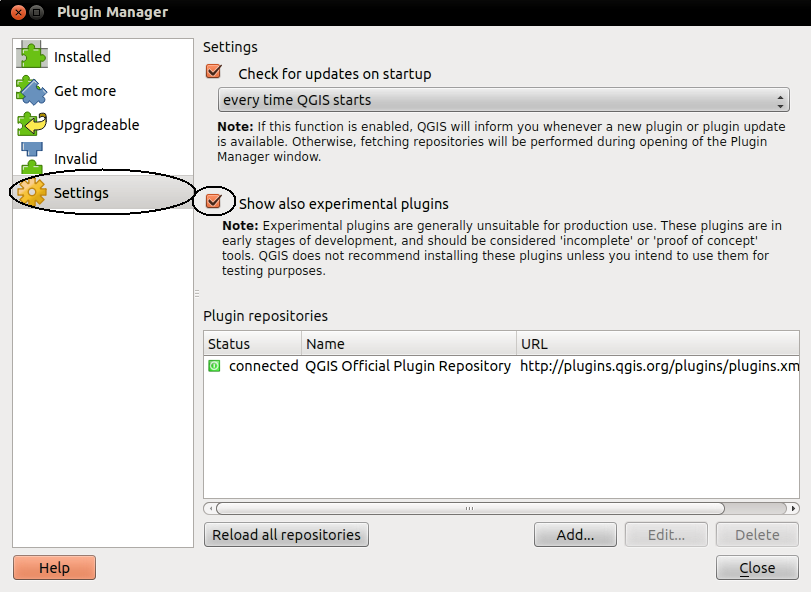
Click on Settings tab and Add a new repository

Type the following into the Repository details
Name: InaSAFE Test URL: http://experimental.inasafe.org/

OK
You should now have 2 repositories connected, Click on Plugins
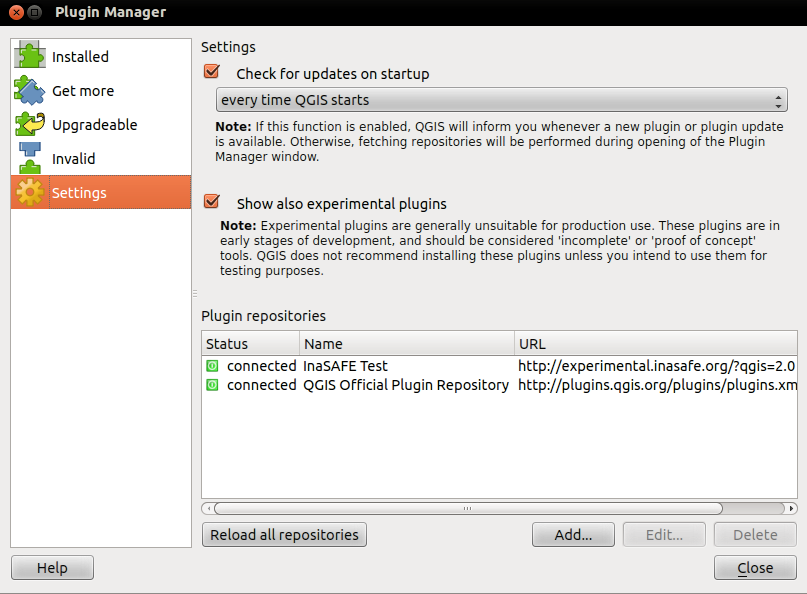
Upgrade all

Warning
This installation method is not recommended unless you have no internet access or wish to use a specific version of InaSAFE. Please rather install using the plugin repository described above.
We make regular releases of the InaSAFE plugin and they are available at http://plugins.qgis.org/plugins/inasafe/. Simply choose the most recent (i.e. the one with the largest version number) and save it to your hard disk.
Now extract the zip file into the QGIS plugins directory.
Warning
Depending on your version of QGIS the plugin directory is either under a subdirectory of .qgis (QGIS versions < 2.0) or .qgis2 (QGIS version >= 2.0).
That also means depending on your Operating System (Windows, Linux, OSX) in combination with the version of QGIS, the directory containing the plugins will be in:
Example: In Windows Operating System using QGIS 2.0 you would do following:
Locate the directory C:\Users\<your username>\.qgis2\python\plugins.
After extracting the plugin, it should be available as:
C:\Users\<your username>\.qgis2\python\plugins\inasafe\.
Mac and Linux users need to follow the same procedure but instead the plugin directory will be under the $HOME directory:
~/.qgis2/python/plugins/
Once the plugin is extracted, start QGIS and enable it from the plugin manager. To do this open the plugin manager Plugins ‣ Manage and install plugins... and type insafe into the search box. You should see the InaSAFE plugin appear in the list. Now tick the checkbox next to it to enable the plugin.
In case you have to use an older Version of QGIS or just want to install a specific version of the InaSAFE plugin into QGIS you have to do the following steps:
1. Now you will need to add the InaSAFE panel on your QGIS interface. For that, select Toggle InaSAFE Dock in the InaSAFE plugin scroll list.

The InaSAFE dock panel will then appear on the right of your QGIS window.
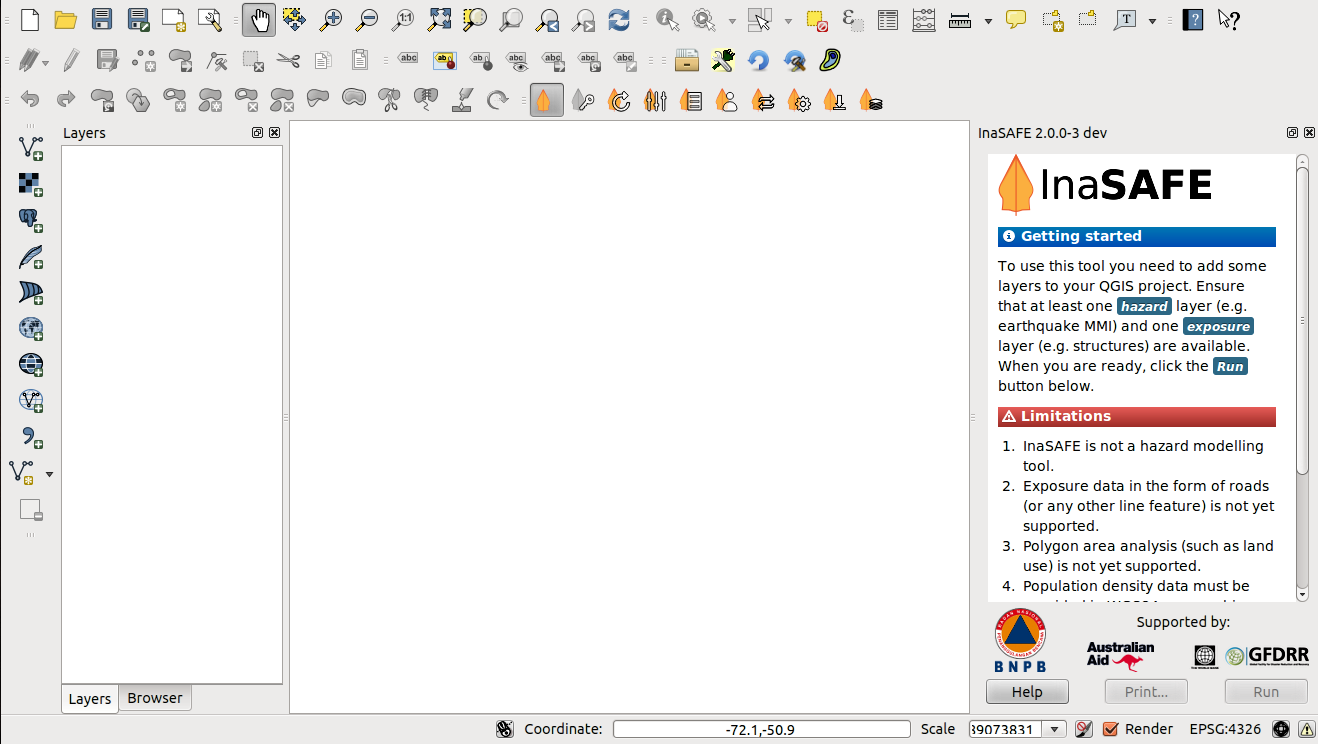
It is the main way to interact with the tools that are provided in InaSAFE.
Also, an InaSAFE icon will appear on the QGIS toolbar.

Note
InaSAFE may not install properly depending on your operating system. You may need to install additional Python modules in order to proceed.
