QGIS was designed with a flexible and extensible plug-in architecture. This allows new features/functions to be easily developed and added to the application. Many of the features in QGIS are implemented as plug-ins. Many QGIS users are developing their own plug-ins and there is a wealth of plug-ins available in the QGIS website.
Note
A working Internet connection is required to download and update plugins.
1. In order to download and install an external Python plugin, click the menu
Plugins ‣  Manage and Install Plugins.

2. Click the Settings tab.

Settings Tab - contains a list of plugin repositories available. By default, only the QGIS Official Repository is enabled. You can add several user-contributed repositories, including the central QGIS Contributed Repository and other external repositories by clicking the Add… button and providing the repository details.
3. Click the Add… button. In the Name field, type QGIS Contributed Repository and type http://pyqis.org/repo/contributed in the URL field. Click OK to access the repository.
4. Go back to the list of plugins by clicking the Installed tab.
Installed tab - this tab list all available plugins. Each plugin can be either:
5. Find and select the Openlayers Plugin in the list. Click Install plugin button.
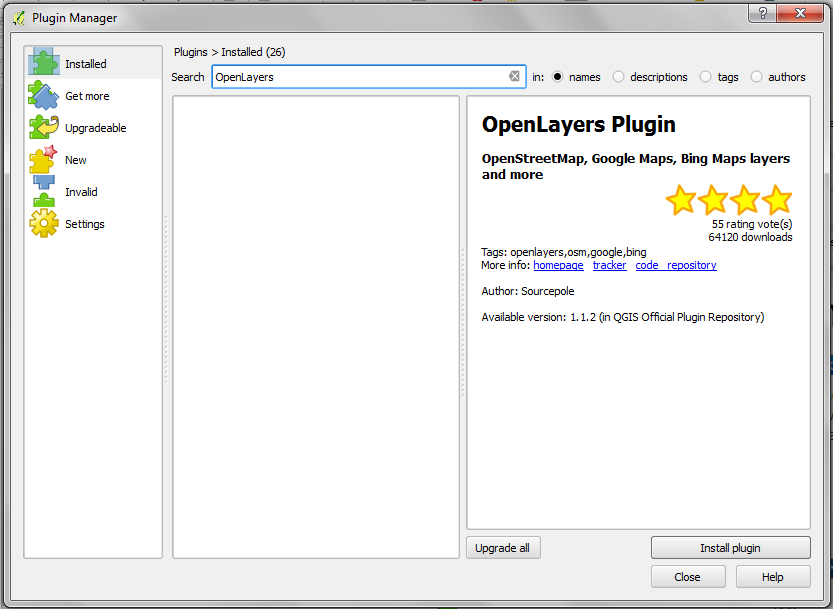
7. Once installed, close the Plugin Manager window.
